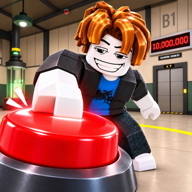
What are the working 1M Clicks To Escape codes in November 2026?
CHAPTER2 is the only listing-backed string. Status Active. Reward unnamed — Unverified. First seen about November 1, 2026. Rechecked November 2, 2026.

1M Clicks To Escape codes: CHAPTER2 is Active on the listing. Reward unnamed (Unverified). Paste in-game, not roblox.com/redeem. Verified November 2026.
CHAPTER2 from the listing.
~10 min read
This 1M Clicks To Escape codes list is only for Roblox Place 138666683767450 — listing title [CH2] 1M Clicks To Escape, group Click Dat Button (id 478784895). The official description still says USE CODE: CHAPTER2. That is the only listing-backed string. The listing does not name the grant. Reward text on this wiki stays Unverified until a currency, item, or HUD line moves in the white room. First seen about November 1, 2026. Last checked November 2, 2026.
Redeem 1M Clicks To Escape codes inside the running experience. Do not use roblox.com/redeem. HUD button location is TBA: scan Codes, Gift, Settings, or Shop. Copy once, match capitals, then go back to the red button toward 1,000,000 clicks. Play on Roblox. Next: the live table, then paste rules.
| Fact | Detail |
|---|---|
| Place | 138666683767450 |
| Listing title | [CH2] 1M Clicks To Escape |
| Developer | Click Dat Button |
| Group id | 478784895 |
| Platform | Roblox |
| Price | Free to play on Roblox |
| Team | Solo or up to 3 friends |
| Working code | CHAPTER2 |
| Listing reward | Not named — Unverified |
| Redeem surface | In-experience Codes / Gift / Settings / Shop — corner TBA |
| Not valid here | roblox.com/redeem |
| First seen | ~ November 1, 2026 |
| Last verified | November 2, 2026 |
| Month stamp | November 2026 |
Matched by build plan, shared topics, and guide progression — not random related links.
The Roblox listing is the only source this wiki treats as verified for live strings. Third-party “daily codes” tables that invent extra words stay off this page until the same string appears on Place 138666683767450 or a clean in-experience redeem accepts it. Aggregators that mix Keyboard Escape rows into this table are noise, not a second Active line.
As of November 2, 2026, the live 1M Clicks To Escape codes table below is one Active row: CHAPTER2. That is normal for a young incremental: one launch string, no rotating list in the description. Copy from the Code column so the Copy control works. Full paste path: in-experience redeem steps. Next: how to copy without killing the string.
| Code | Reward | Status |
|---|---|---|
CHAPTER2 | Unverified — Roblox listing shows USE CODE: CHAPTER2 and does not name the reward. | Active |
Empty extra rows are honest. We do not add VISIT500, UPDATE, FREECLICKS, RELEASE, IRONBRASS, or Keyboard Escape strings because Place 138666683767450 never named them. If Click Dat Button edits the description with a second code line, it lands here as Active with Reward copied from the listing — still Unverified on grant size until you confirm in-game.
Active means the listing still says CHAPTER2, or your redeem still accepts it on this Place. Expired means a clean reject after you ruled out typos, wrong Place, website redeem, and already-used — not because a blog went quiet. Roblox listing for Place 138666683767450 says USE CODE: CHAPTER2 (checked November 2, 2026). Reward names are not official. Copy once, match case, and treat a reject as expired.
A recap can copy CHAPTER2 and still be wrong on reward. This wiki only verifies the string. Reward stays Unverified. If a recap adds a second word that the listing never printed, treat that word as unverified until Redeem accepts it on Place 138666683767450.
Most failed 1M Clicks To Escape codes attempts are typing errors, not secret new strings. CHAPTER2 is one word, all caps, no spaces, no hyphen, no “chapter 2” phrase, no CH2 prefix from the listing title. The Copy button on the table above only appears when the first header is Code.
chapter2 and Chapter2 are not the same string if the server checks case. Use the Copy button on the Code cell. Retyping from a thumbnail, a group shout, or a friend’s chat line is how good codes die. Mobile autocorrect loves to turn CHAPTER2 into Chapter2 — paste, do not type.
Roblox experience codes are usually once per account. A second paste that says already redeemed is not a signal to find a “better” string — it means this account already claimed CHAPTER2. Alt accounts are separate Roblox users; this wiki does not tell you to farm alts. Stay on the account you play.
Button labels differ in recaps. This wiki only groups Codes / Gift / Settings / Shop as generic HUD hunts. Corner placement stays TBA. Step-by-step: how to redeem codes. Next: what the listing actually promises for the grant.
The official listing confirms the string CHAPTER2 and stops there. It does not say gems, clicks, an item, a class spin, or a multiplier. Blogs that quote a number are Unverified until your HUD moves. Do not treat a recap’s “+500 gems” line as a fact on this wiki.
The listing loop is separate: click the red button toward 1,000,000, unlock items, uncover lore, earn gems for upgrades, invite up to 3 friends, and join the group for a free Auto Clicker. A successful CHAPTER2 redeem does not replace that loop and does not prove you skipped the door. Next: fail causes if Redeem does nothing.
| Source | Claimed reward | How we treat it |
|---|---|---|
| Roblox listing | USE CODE: CHAPTER2 | Verified string |
| Roblox listing | Reward name / amount | Not named — Unverified |
| This wiki | Keyboard Escape rewards | Wrong game — not listed |
| Third-party recaps | Any specific gem or click number | Unverified until in-game |
| Group page | Free Auto Clicker | Not a code — join Click Dat Button |
CHAPTER2 is a listing string. The free Auto Clicker is a group reward on Click Dat Button. Do not treat “join the group” as a second codes row. Do not download a desktop autoclicker to “complete” the code. Guide: Auto Clicker.
The listing prefix [CH2] and the code CHAPTER2 share a name. That does not prove the grant skips Room 2, opens a hidden door, or finishes the 1,000,000 click goal. Chapter notes: Chapter 2.
Note gems, clicks, and inventory before and after Redeem. If nothing moves, wait a second, re-open any currency panel, then treat as fail or already used. Then run the beginner guide loop. Codes sit beside the click loop, not instead of it.
A reject is not automatically an expired 1M Clicks To Escape codes row. Walk the causes in order before you assume CHAPTER2 died. Most “broken code” reports on a new Place are wrong Place, website redeem, or a Keyboard Escape paste.
| Symptom | Likely cause | What to do |
|---|---|---|
| Invalid / unknown | Wrong Place or search-result clone | Open https://www.roblox.com/games/138666683767450/1M-Clicks-To-Escape and match 138666683767450 |
| Invalid / unknown | Extra space or wrong case | Paste CHAPTER2 from the Code column |
| Already redeemed | Account used CHAPTER2 | Stop pasting — one grant per account |
| Invalid | Used roblox.com/redeem | Join the experience and use the HUD |
| Invalid | Imported Keyboard Escape codes | Delete them. This table is CHAPTER2 only |
| No paste field | HUD location TBA | Sweep Codes / Gift / Settings / Shop — redeem steps |
| Nothing changed | Reward unnamed | Check currencies again; grant stays Unverified |
roblox.com/redeem is for Roblox gift cards and prepaid cards. It will not apply CHAPTER2. If that page “accepts” typing, you still did not redeem on Place 138666683767450. Close the browser form and join the experience.
Paid store rows, if any, are not substitute codes. A reject is a Place / paste / already-used problem until proven otherwise. Game Passes do not unlock CHAPTER2.
This wiki has no verified official Discord invite for Click Dat Button. Search hits that look like invites belong to other products. Use the Roblox listing and the group page. Next: games whose code tables must never land here.
Search results mix 1M Clicks To Escape codes with other clicker and “escape” experiences. Importing those strings will fail here and can look like this list is broken. Stay on Place 138666683767450 and listing copy from Click Dat Button.
| Wrong source | Why it fails here | Use instead |
|---|---|---|
| 1 Speed Keyboard Escape | Different Place and code table | Stay on CHAPTER2 only |
| Desktop autoclicker sites | Scripts / downloads, not listing codes | Group Auto Clicker |
| Generic “1 million clicks” clones | Wrong Place ID | Match 138666683767450 |
| Discord invites found via search | Not a verified Click Dat Button invite | Use the Roblox group, not Discord |
| Wikipedia / WikiHow “codes” | Not this experience | This wiki + Roblox listing |
Correct stack: white room, big red button, 1,000,000 clicks, Click Dat Button, Place 138666683767450, listing [CH2] 1M Clicks To Escape. If the HUD is a keyboard speedrun, you are not on this wiki’s game. If the listing does not say USE CODE: CHAPTER2, you left the right Place.
Expired count: 0. We do not invent retired strings to look complete. When CHAPTER2 starts rejecting after a clean paste on the right Place, it moves to Expired with a date. Blog silence alone is not enough.
Codes sit beside the click loop, not instead of it. After Redeem, get the free Auto Clicker and start spending gems. Do not sit in the paste box hunting extra 1M Clicks To Escape codes the listing never printed.
| If Redeem… | Do next | Skip |
|---|---|---|
| Succeeded (HUD moved) | Join the group Auto Clicker, then gems | Hunt fake extra codes |
| Already redeemed | Continue clicking; join the group if you have not | Paste CHAPTER2 again |
| Invalid | Re-copy from this table; confirm Place ID | Import Keyboard Escape lists |
| No UI found | How to redeem codes | roblox.com/redeem |
Listing spend is gems → upgrades. Named shop rows stay TBA until captured. Item names that appear on pass lists stay Unverified. See upgrades and items. The red button still needs 1,000,000 clicks.
Up to 3 friends can lock in with you. Co-op does not paste CHAPTER2 for you. Each account should redeem once. Co-op notes: multiplayer.
Once CHAPTER2 is settled — redeemed or cleanly rejected — put the rest of the listing loop on a timer. The table will not click the red button for you.
CHAPTER2 is the only listing-backed string. Status Active. Reward unnamed — Unverified. First seen about November 1, 2026. Rechecked November 2, 2026.
No. That page is for Roblox gift cards. Paste CHAPTER2 in the in-experience Codes / Gift / Settings / Shop box. Corner TBA.
The listing does not say. Any gem, click, or item claim is Unverified until your HUD changes. Watch inventory yourself.
No. Join Click Dat Button (group 478784895). It is not a second row on this codes table. Scripts and desktop autoclickers are out of scope.
No. Different experience. This page lists CHAPTER2 only for Place 138666683767450.
TBA. Scan Codes, Gift, Settings, or Shop. See the redeem guide for the hunt order. Do not use chat as a paste field.
No verified official invite as of November 2, 2026. Use the Roblox listing and the Click Dat Button group.
Matched by build plan, shared topics, and guide progression — not random related links.