Are 1M Clicks To Escape items required to escape?
No. The listing only requires 1,000,000 clicks. Items help mash; they are not listed as the exit.
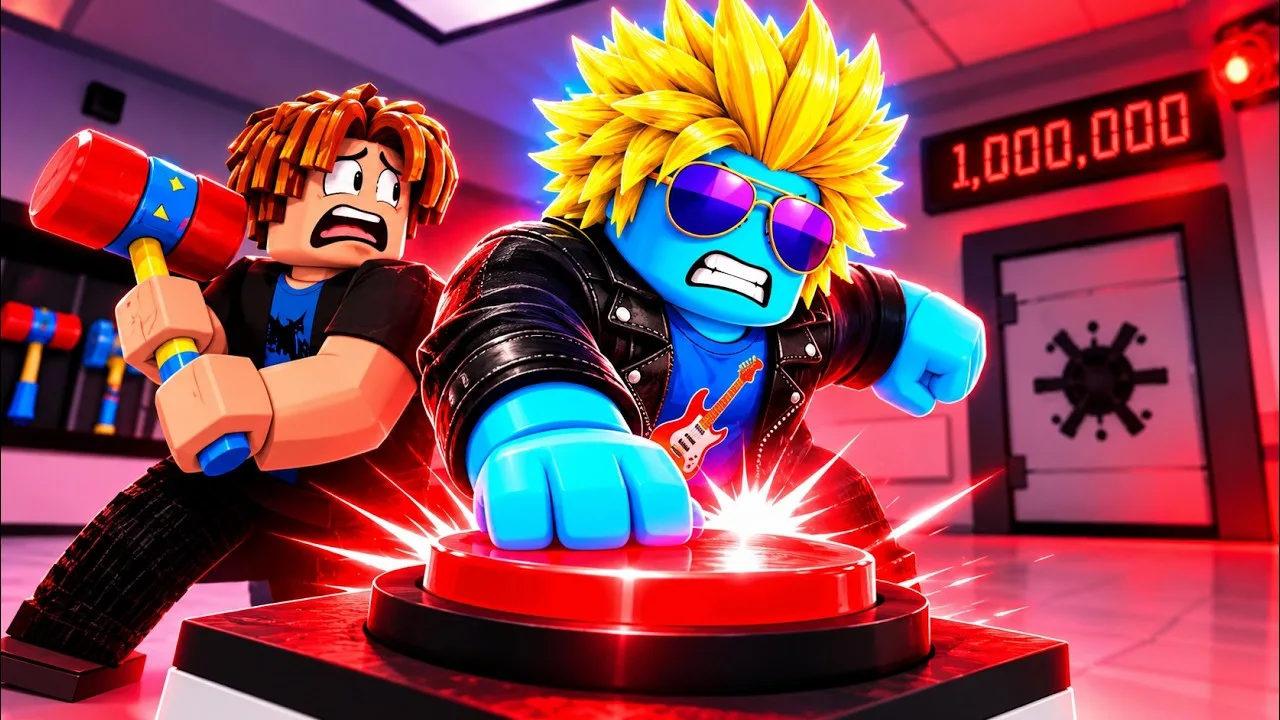
1M Clicks To Escape items are the unlockables on Place 138666683767450 ([CH2] 1M Clicks To Escape, Click Dat Button). The listing verb is unlock new items. It does not publish a catalog, rarities, DPS, gem prices, Game Pass SKUs, or a pet/weapon wiki. Named tools on this page come from one playthrough recap. Every name stays Unverified until your HUD shows the same string.
Escape is 1,000,000 clicks, not an item. Hammers and a late laser help you mash the red button; they are not the door. Hydraulic slam in the same recap is a room / upgrade beat, not a holdable tool. Last listing check: November 2, 2026.
| Fact | Detail | Status |
|---|---|---|
| Place | 138666683767450 | Official |
| Listing verb | Unlock new items | Official |
| Escape condition | 1,000,000 clicks — not an item | Official |
| Named tools | One playthrough recap | Unverified |
| Pets / weapons / rarities / classes | None listed | Do not add |
| Hydraulic slam | Recap room / upgrade beat, not a tool name | Unverified — not an item row |
| Game Pass catalog | Not on the official description | Do not reprint third-party lists |
| Last listing check | November 2, 2026 | Official |
Matched by build plan, shared topics, and guide progression — not random related links.
On the official description, 1M Clicks To Escape items sit next to lore, gems, upgrades, friends, and the group Auto Clicker. The sentence is unlock, not craft, not hatch, not pull from a banner. That is why this wiki refuses a 40-row fake catalog. If the HUD has not named a tool, the cell is TBA.
Treat an item as anything you equip or hold that changes how you hit the red button or how the white room looks — recap hammers and a late laser. Treat an upgrade as a gem shop row. Treat hydraulic hardware as room / shop context. Treat the Auto Clicker as a join-group reward. Mixing those four sentences is how people search for a pet egg or a weapon DPS sheet that this Place never advertised.
Spend path for gems is 1M Clicks To Escape upgrades. Earn path is 1M Clicks To Escape gems. Idle without a paid extra is 1M Clicks To Escape Auto Clicker. This page only owns names you can match on a recap HUD.
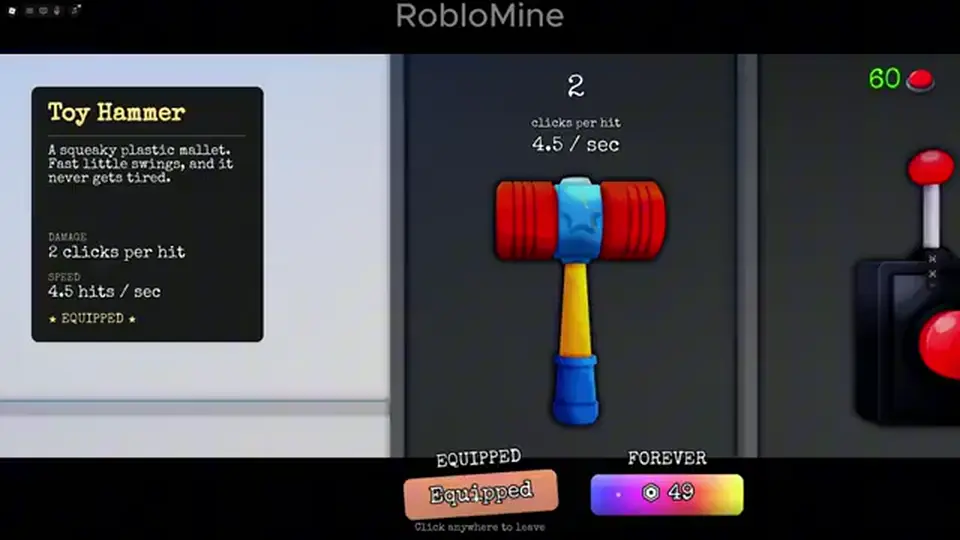
The listing does not say items cost gems. Recap click gates (400, 30,000, 188,000, 300,000) are click totals, not Robux and not gem prices. A full-room VO also says “bought a hammer” early — that confirms an in-session purchase can exist, not a second catalog row. If a shop tab charges gems for a hammer, log it on upgrades and here — still Unverified until clipped.
There is no listed inventory of swords, armor, or pets. If a clone clicker on Roblox has those tabs, it is the wrong Place. Match 138666683767450.
Only one recap names tools. In-run unlock labels that are not on this table stay TBA. Do not fill empty rows with Cookie Clicker buildings, other Roblox hammer games, or a third-party Game Pass dump. Entity cells stay text-only — no invented rarity icons.
| Name | Where the name appeared | Scrape / recap note | Status |
|---|---|---|---|
| Toy Hammer | Recap ~400 clicks · VO “bought a hammer” | Earliest named tool in one run | Unverified |
| Fish Hammer | Recap ~30,000 clicks | Same click band as pressure pump talk | Unverified |
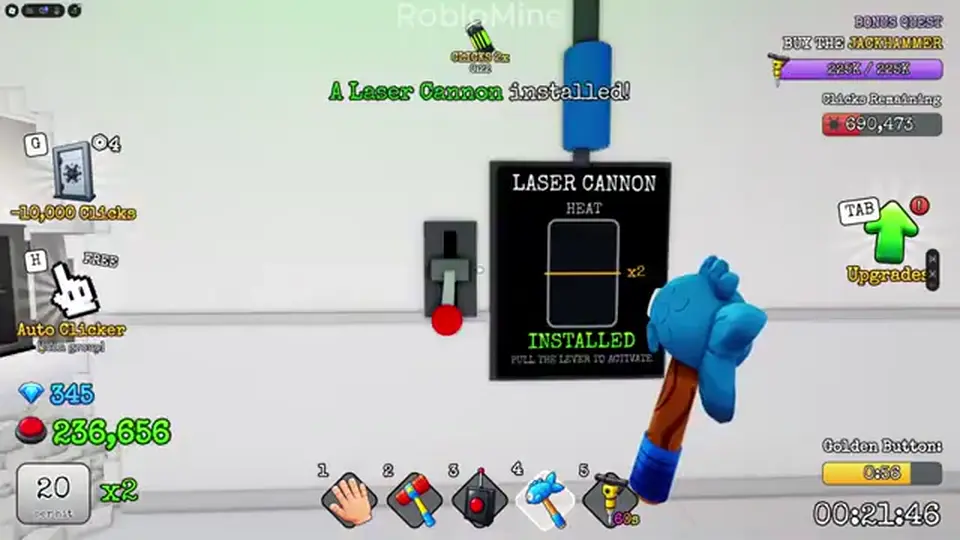
| Laser cannon | Recap ~300,000 clicks | Late mash change | Unverified |
| Unnamed tool | Recap ~188,000 clicks | Label unclear — do not invent | TBA |
| Hydraulic slam | Recap ~20k / ~28k (second pot) | Not a holdable item — see upgrades | Do not add as item |
Toy Hammer, Fish Hammer, and laser cannon are HUD / VO strings from one run. If your session never prints those words, believe the HUD. Do not fill the table with store names copied from another clicker.
Laser cannon is a late-run recap tool. Do not write a Robux or gem price next to it. Do not assume an earlier hammer upgrades into laser. They are different strings until a tooltip says otherwise.
The listing does not name classes, spins, or extra slots. This items page will not host a class tier list. If a live HUD later names a class as a holdable tool, log it Unverified — until then, leave the cell empty.
The listing does not print click gates for items. The table is one recap, all Unverified. Use it as a watch list. If your counter unlocks a hammer 2,000 clicks early or late, believe the HUD. Chapter 2 on the listing title does not rewrite these numbers until a new recap or an official description does.
| Approx. clicks | What showed | How to treat it |
|---|---|---|
| ~400 | Toy hammer · VO “bought a hammer” | Unverified — earliest named tool |
| ~20,000 / ~28,000 | Hydraulic power / slam second pot | Not an item — upgrades watch list |
| ~30,000 | Fish hammer (same recap beat as pressure pump) | Unverified — item, not proven gem SKU |
| ~188,000 | Another tool (name unclear) | TBA — do not invent a label |
| ~300,000 | Laser cannon | Unverified recap; late mash change |
| 1,000,000 | Listing escape / door | Official — not an item unlock |
Toy hammer at ~400 clicks is a progress beat. You might buy it with early gems, unlock it for free, or skip it because you already own the pass. The recap does not publish the payment. The early-room VO “bought a hammer” is confirmation that a hammer can be purchased in-session, not a second catalog row and not a Robux receipt.
The same recap parks Fish hammer, pressure pump, and auto-pressure talk around 30,000 clicks. Pressure pump belongs on the upgrades watch list. Fish hammer belongs here. Open both pages when the counter crosses 30k. Do not merge them into one SKU named Fish Pump.
Laser cannon around 300,000 is still 700,000 clicks short of escape. Equip it if it exists and keep the button as the win. A late-run clock also calls out laser as a mash change. Match the HUD name; do not assume it deletes the need for gems or the group Auto Clicker.
No. The recap uses hydraulic power around 20,000 clicks and slams a second pot around 28,000. Those beats sit next to hammers on a watch list because they happen in the same white room. They are not a holdable 1M Clicks To Escape item. This wiki keeps slam on 1M Clicks To Escape upgrades so you do not invent a Hydraulic Hammer rarity.
If your HUD later prints a tool named Hydraulic Slam, log it here as Unverified until clipped. Until then: walk the room, interact with pots / pistons, spend gems on live shop rows. Do not wait in an empty inventory for a slam SKU.
Searchers mix slam, pump, and Fish Hammer because they cluster near 20k–30k clicks. The listing never named slam. The honest split is: Fish Hammer = possible item; pressure pump / hydraulic = possible upgrade or room hardware; slam = interaction, not a catalog row.
Do not color-code slam as Epic. Do not file it under weapons. Do not add a pet that “holds the hydraulic.” Those sentences are other Roblox clickers.
No. The official description names items as unlocks, not as a Robux catalog. Public listing evidence for Game Pass names, prices, classes, luck, or 2X multipliers is missing. This wiki will not reprint a third-party pass table as if it were this Place’s store.
If the live Roblox Experience passes panel on Place 138666683767450 shows a row, match that HUD — then it is still not an official listing catalog until Click Dat Button writes it on the game page. Escape stays 1,000,000 clicks. Paid extras are optional.
The listing never says you must buy a hammer to reach 1,000,000. Free path is click, CHAPTER2, group Auto Clicker, gem upgrades. Do not write a paywall into the escape condition.
No listed hatch, egg, or luck spin. Do not add odds. If a live store bundle exists, it is a Roblox purchase, not an item rarity.
No. The official loop is: you signed up for a game show, you are locked in a white room, click the big red button 1,000,000 times to escape. Items are a listed bonus, not the exit key. If you never see Toy Hammer and still hit a million clicks, you escaped.
A late recap “door is open” beat is the chapter / escape beat, documented on 1M Clicks To Escape Chapter 2. It is not “equip a hammer to open.” If a hidden lore room opens earlier, walk in, read, return to the button. Lore is a listing promise, not a required item quest.
Friends do not replace items. Up to 3 friends is 1M Clicks To Escape multiplayer. Whether they share the click counter is Unverified. Bring tools if you have them; do not wait for a party-wide hammer drop that is not listed.
Redeem CHAPTER2, join Click Dat Button, spend gems. That is the beginner guide stack. Items arrive when they arrive. Hoarding gems “for the laser” has no published gem price.
The code is a redeem string. Reward unnamed. If it grants a hammer, equip it and keep clicking. If it grants gems, spend them. Steps: codes and how to redeem.
No pets. No weapons wiki. No egg hatch. No rarity colors (Common / Legendary) unless the HUD prints them. No DPS spreadsheet. No script menus that spawn tools. No 1 Speed Keyboard Escape loadouts. No hydraulic slam as a legendary hammer.
Do not import a class roster onto this table. The listing does not name classes. When a HUD still names a class as a holdable tool, it can get its own page — it is not a hammer.
Do not cite recap click counts as official. 400 / 30,000 / 188,000 / 300,000 are one run. 1,000,000 is the only official number that matters for leaving the room.
Spend gems: 1M Clicks To Escape upgrades.
Currency: 1M Clicks To Escape gems.
Live chapter: 1M Clicks To Escape Chapter 2.
First hour: 1M Clicks To Escape guide.
No. The listing only requires 1,000,000 clicks. Items help mash; they are not listed as the exit.
No pets or weapons are listed. Do not add them. No rarities either.
No. The name is from a recap at ~400 clicks (VO “bought a hammer”). Unverified until your HUD matches.
No published gem price. ~30,000 is a recap click total, not a gem cost.
No. The listing does not publish Game Pass SKUs. Check the live Roblox store if you care about paid extras. This wiki does not reprint third-party catalogs.
No. Recap hydraulic / second-pot slam is an upgrades / room beat, not a holdable tool.
There is none on the listing. Do not add a class roster to this items page.
Matched by build plan, shared topics, and guide progression — not random related links.